How New PagaKids Features Work
Learn step by step how to set up 'Family Sync' to connect multiple guardians and 'Kids Mode' to protect your child's tablet.
1. 'FAMILY SYNC' FEATURE (Multi-Guardian Real-Time Sync)
What is it?
Family Sync allows up to 4 parents or guardians (e.g. mom, dad, grandparents) to manage and supervise the same allowance piggy bank, daily chores, bonus missions, and payout requests in real time from their own independent smartphones.
⚙️ How to Access & Set Up
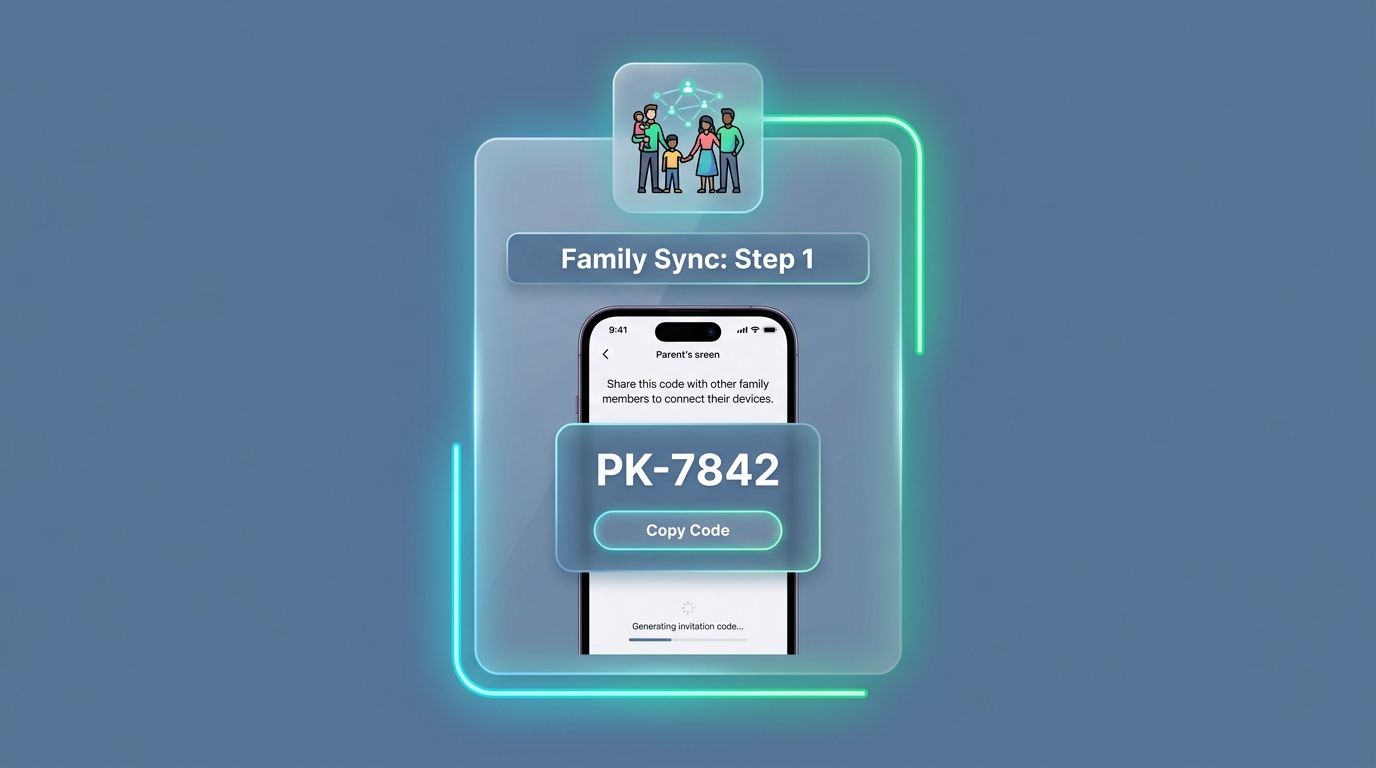
Generate Invitation Code from Primary Guardian
The primary family creator opens PagaKids and activates the Family Sync plan. Under Guardian Settings, the app automatically generates a unique 6-character Invitation Code (e.g. PK-7842).
Connect Second / Third Guardian
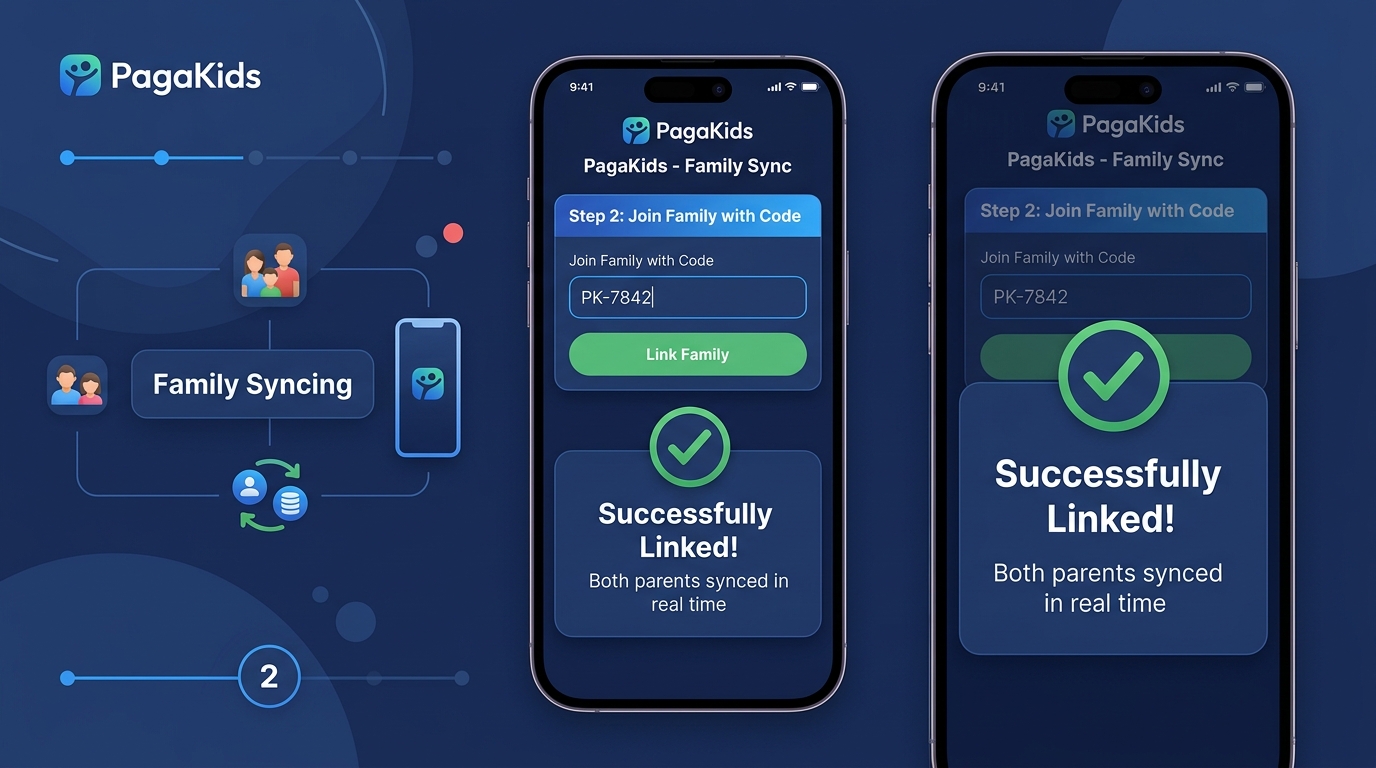
The second guardian downloads PagaKids on their phone, logs in, and selects 'I am a Parent / Guardian 👨👩👧'. Instead of creating a new family, tap 'Link to Existing Family with Code' and enter PK-7842.
How it works under the hood
The new guardian's email is added to the tutor_emails list in the Firestore cloud database. Both devices listen to the same real-time data: approving a chore or adding a bonus mission updates instantly across both phones with push notifications.
2. 'KIDS MODE' (Child Space / Child's Tablet)
What is it?
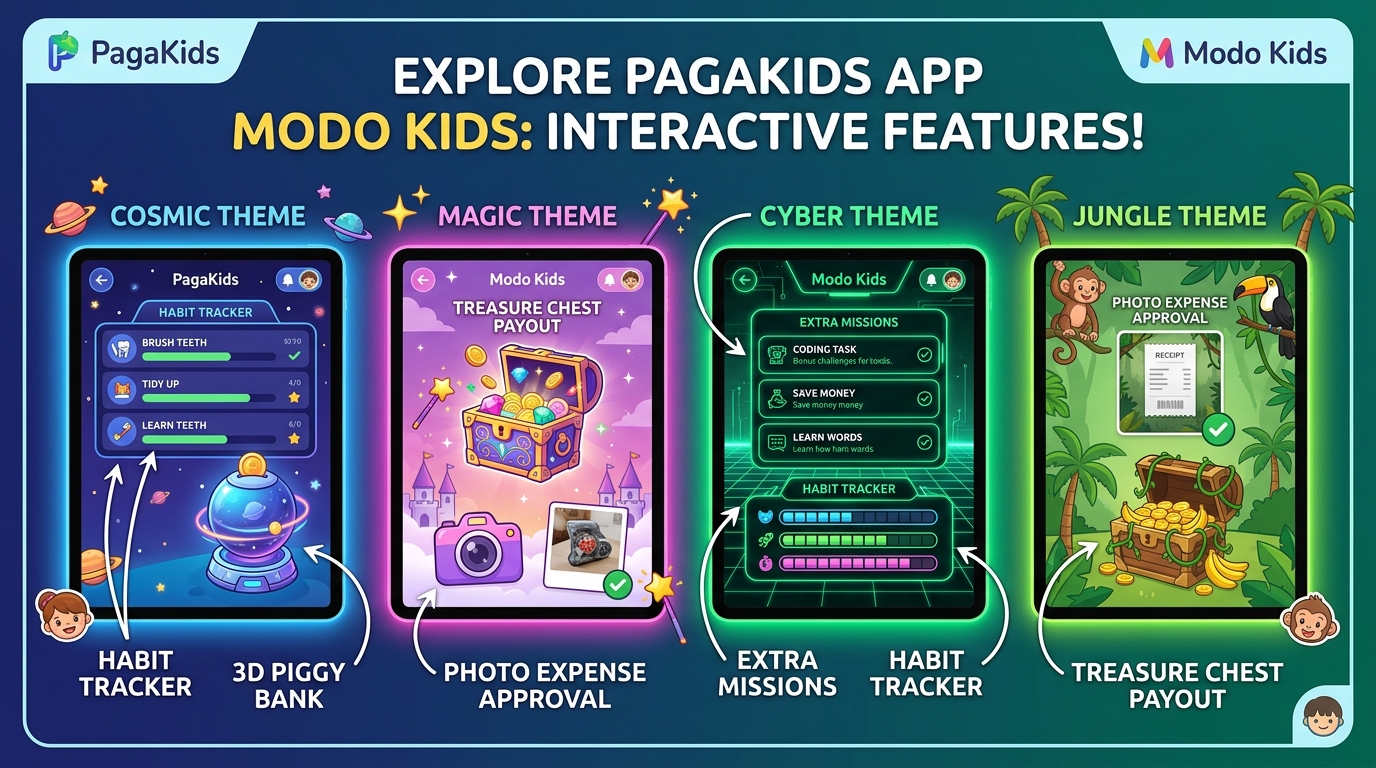
A 100% child-safe, gamified environment with customizable visual themes (Cosmic, Magic, Cyber, Jungle), interactive sound effects, a 3D animated piggy bank, and a simplified task panel without access to adult settings or passwords.
📲 First Time Setup
Get Kid Code from Guardian's Phone
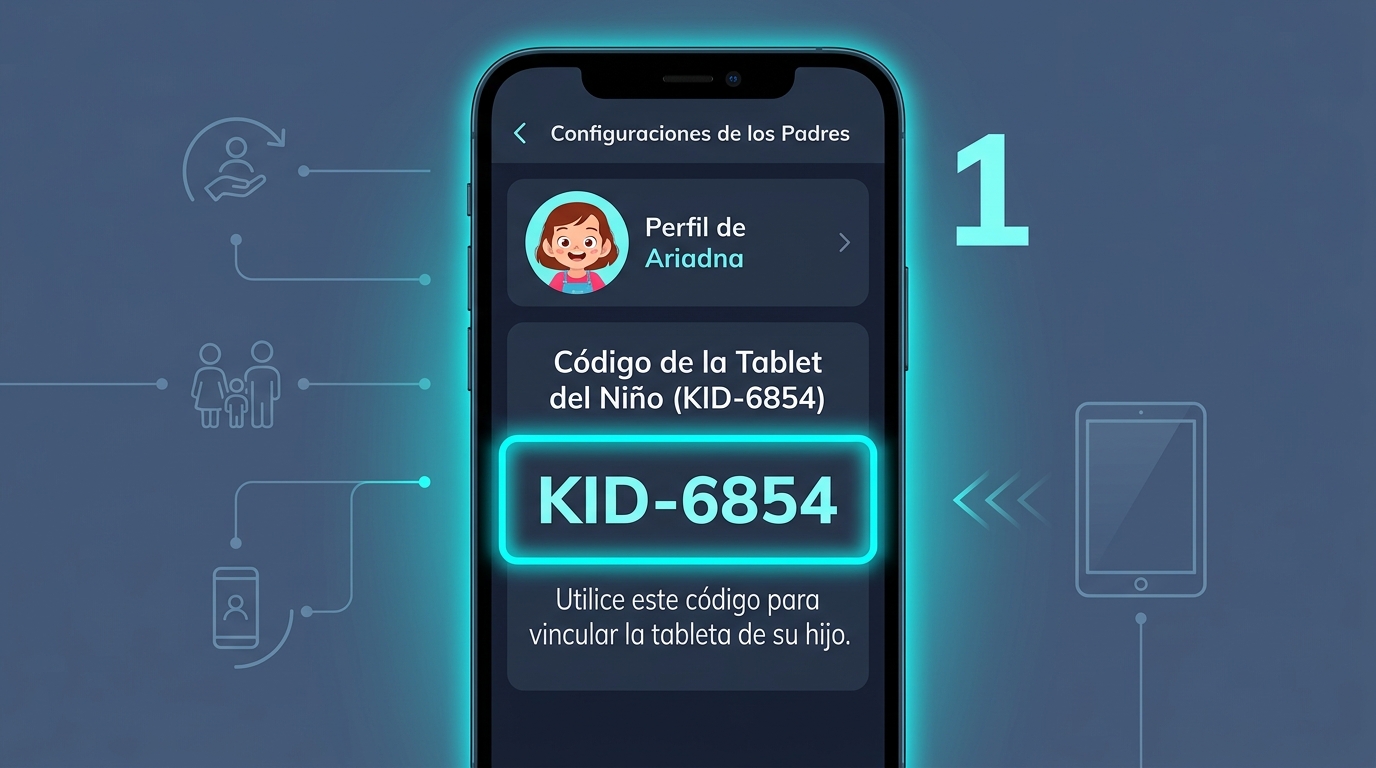
The guardian navigates to Guardian Settings ➔ Manage Children. Under each child's profile (e.g., Aaron or Ariadna), locate the 6-character Kid Tablet Code (e.g. KID-6854).
Link Child's Tablet or Smartphone
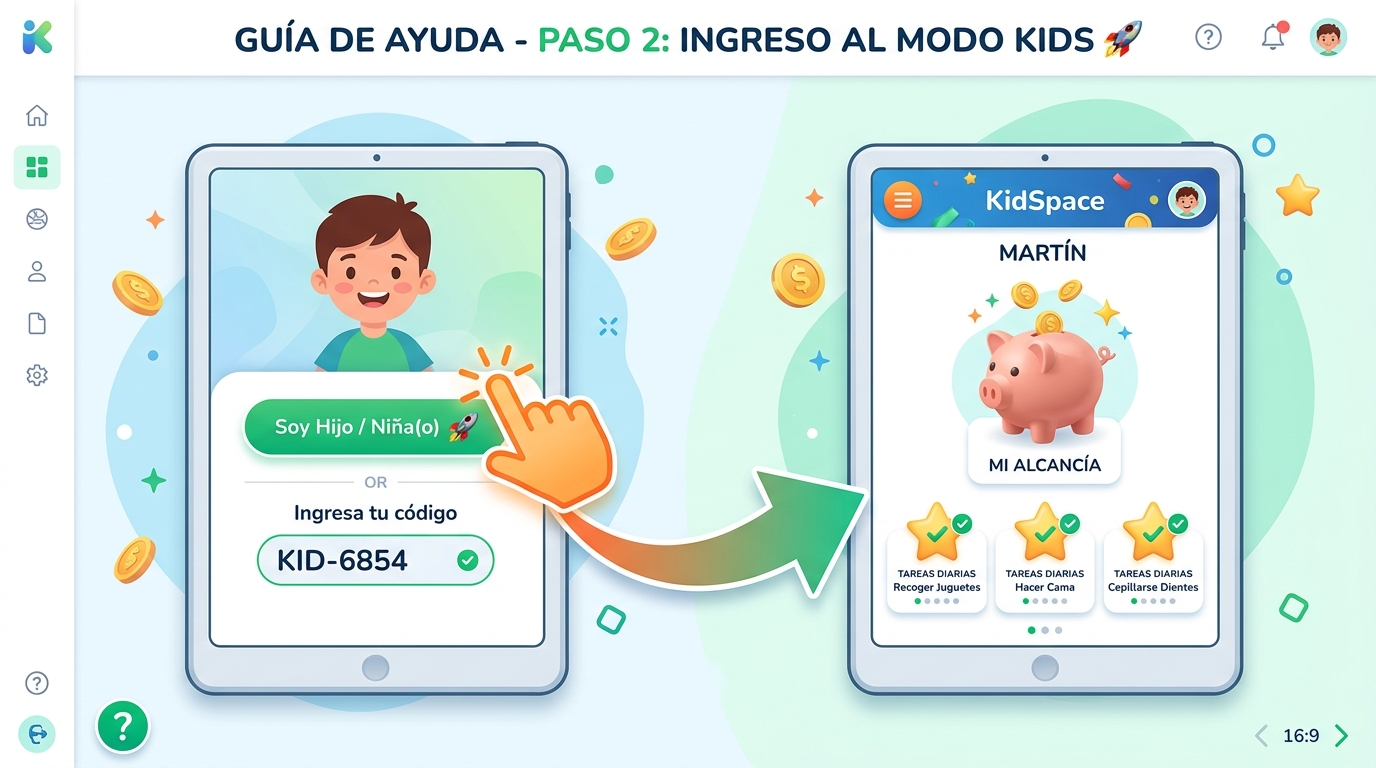
Open PagaKids on the child's device. On the 'Who will use this device?' screen, select 'I am a Child 🚀' and enter code KID-6854.
Permanent Automatic Access
The app verifies the code in the cloud, links the tablet to that child, and saves the configuration locally (device_role = child). Every time the child opens PagaKids, it enters directly into their KidSpace without asking for emails or passwords.
🎨 🎨 Child Features Inside Kids Mode
Daily Habit Tracker
Check off daily chores (make bed, study, clean up) with celebratory sounds and stars.
Bonus Missions
Complete special guardian missions (+$1.00, +$2.00) and request verification.
3D Piggy Bank & Balance
Watch accumulated savings inside the interactive 3D piggy bank.
Photo Receipt Log
Upload photos of items bought to request approval from parents.
Payout Day / Treasure Chest
Request weekly allowance payouts to open the interactive treasure chest.
Theme Customization
Switch between Cosmic, Magic, Cyber, and Jungle visual themes.
Device Unlink Option
Parents can unlink or reset the tablet anytime from settings inside the child space.
Ready to start with PagaKids?
Download the official app from Google Play and start teaching financial literacy as a family today.